← Back to Home
Trading Signal / Indicator

Awesome Oscillator

Bill Williams' momentum indicator that detects market driving force.

Start Automating Free →

Want to automate this strategy? Try auto-Trading free — no credit card required.

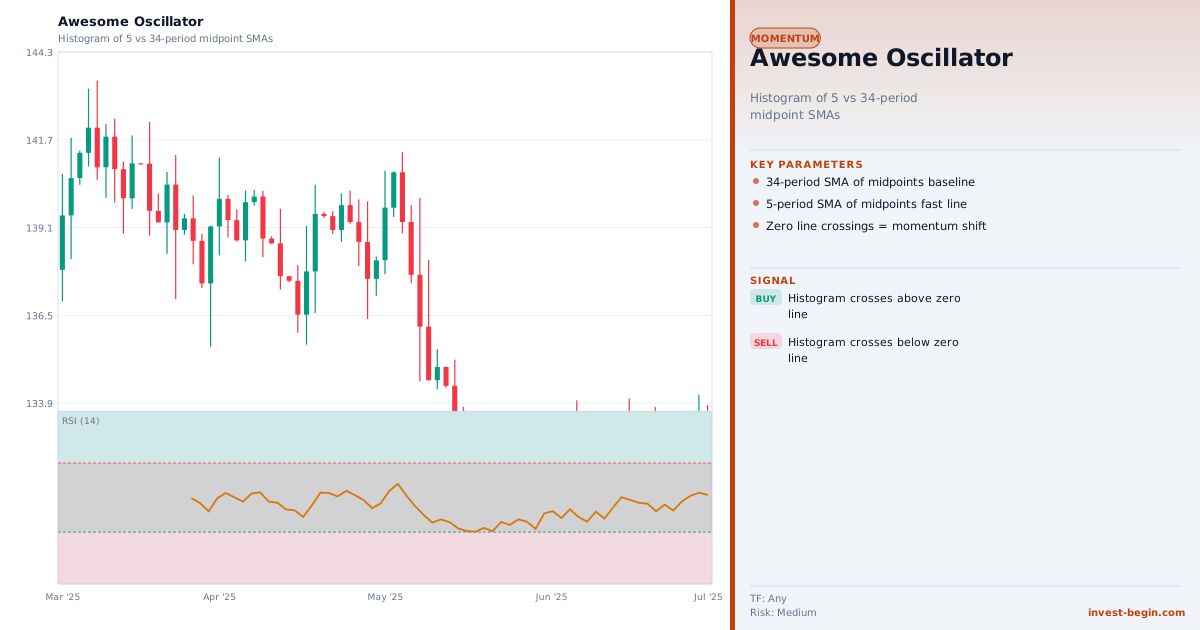
Awesome Oscillator chart

Overview

What is Awesome Oscillator?

The Awesome Oscillator (AO), developed by Bill Williams, measures the difference between a 5-period and 34-period simple moving average of the bar's midpoint ((High + Low) ÷ 2). This produces a histogram that oscillates above and below zero, visualising the momentum of the market driving force.

AO belongs to Bill Williams' trading system described in his books "Trading Chaos" and "New Trading Dimensions," which includes the Alligator indicator, Fractals, and the Accelerator Oscillator. Together these indicators form a complete trading system that Williams used to identify the beginning and end of trends.

The three primary AO signals are: (1) The Saucer — the histogram is above zero and forms a two-bar dip (two bars lower than the previous, then back up), signalling a continuation buy; (2) Zero-line Crossover — the histogram crosses from negative to positive (buy) or positive to negative (sell), confirming a trend change; and (3) Twin Peaks — two successive negative histogram peaks (for a bullish signal) where the second peak is higher than the first, indicating diminishing bearish momentum.

AO works best in trending markets for identifying pullback entries and momentum confirmation. In ranging markets, zero-line crossovers generate excessive false signals. Combining AO with the Alligator (for trend direction) and Fractals (for entry timing) creates the complete Williams trading system.

How It Works in auto-Trading

Automate It

auto-Trading computes the Awesome Oscillator and supports all three signal types: Saucer alerts (configurable sensitivity), zero-line crossover triggers, and Twin Peaks detection. AO can be used standalone or combined with the Alligator indicator and Fractal blocks in the strategy builder to implement the complete Bill Williams trading system.

Try Free →

Strategy Code

Pick a script below, copy it, and use it on your chart.

Pine Script (TradingView)

This is a TradingView Pine Script example for this indicator. Paste it into the TradingView Pine Editor, add it to your chart, and adjust inputs for your market and timeframe.

//@version=6
strategy("Awesome Oscillator", overlay=true)
fastLen = input.int(20, "Fast Length")
slowLen = input.int(50, "Slow Length")
fast = ta.ema(close, fastLen)

Get full strategy code access

Enter your email address and full name to unlock this strategy code.

ThinkScript (thinkorswim)

This is a thinkorswim ThinkScript example for this indicator. Open thinkorswim, create a custom study, paste the script, and apply it to your chart.

def ao = AwesomeOscillator();
def buySignal = ao crosses above 0;
def sellSignal = ao crosses below 0;
AddOrder(OrderType.BUY_AUTO, buySignal, close, 1, Color.GREEN, Color.GREEN, "AO Buy");
AddOrder(OrderType.SELL_AUTO, sellSignal, close, 1, Color.RED, Color.RED, "AO Exit");

Get full strategy code access

Enter your email address and full name to unlock this strategy code.

Ready to automate Awesome Oscillator?

Join thousands of traders who use auto-Trading to execute this strategy automatically, 24/7.

Get Started Free →

All Strategies & Signals

Continue Learning

Trading Strategies

Trading Signals & Indicators