← Back to Home
Trading Signal / Indicator
πŸ“

Bollinger Bands

Dynamic volatility envelopes that reveal price extremes.

Start Automating Free β†’

Want to automate this strategy? Try auto-Trading free β€” no credit card required.

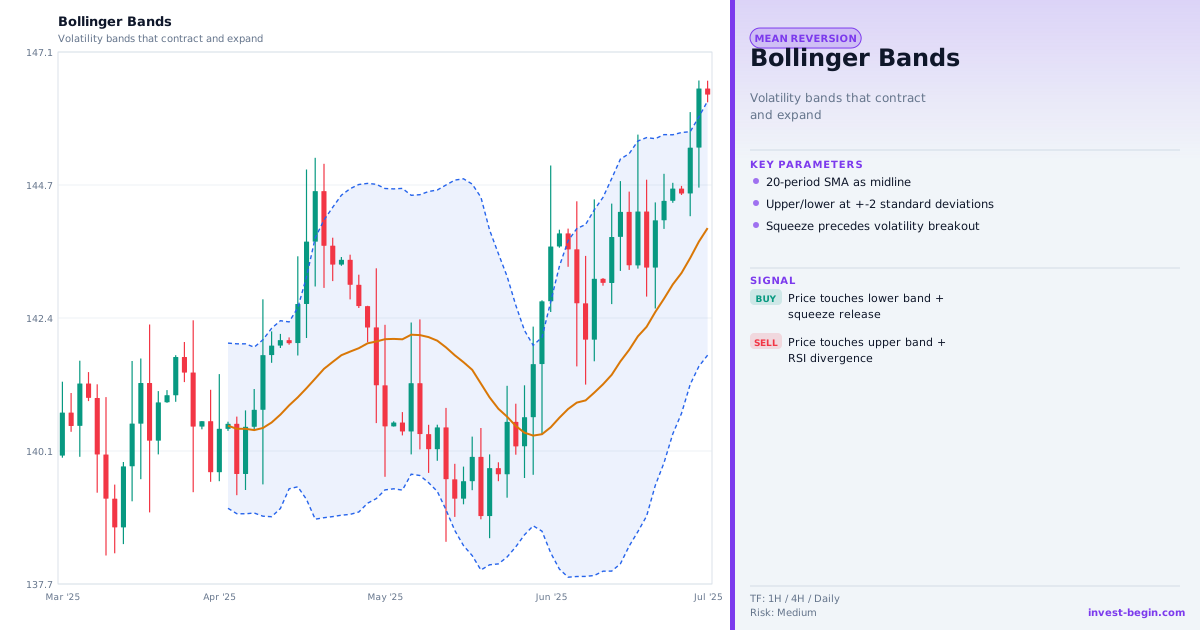
Bollinger Bands chart

Overview

What is Bollinger Bands?

Bollinger Bands, created by John Bollinger in the 1980s, consist of three lines plotted around a 20-period SMA: an upper band at +2 standard deviations and a lower band at βˆ’2 standard deviations. Approximately 95% of price action falls within the bands under normal volatility conditions.

The width of the bands is dynamic β€” they expand during high-volatility periods and contract during low-volatility periods. This adaptability is the indicator's key feature. The "Bollinger Squeeze" occurs when bands contract to unusually narrow widths, indicating a period of compressed volatility that historically precedes a significant move (breakout in either direction). Traders prepare for the squeeze by setting breakout orders above and below the bands.

Mean reversion strategies use the bands as extreme zones: when price touches or closes outside the upper band, it may be stretched upward and likely to revert toward the middle band (SMA). When price touches the lower band, it may be oversold. This approach works well in ranging markets.

The %B indicator (derived from Bollinger Bands) measures where price is relative to the bands on a scale of 0–1, making it easier to programmatically test band-related conditions without manual chart analysis.

How It Works in auto-Trading

Automate It

auto-Trading computes the 20-SMA and the upper/lower Bollinger Bands in real time. Strategy blocks include: band touch alerts, %B threshold signals, Bollinger Squeeze detection (based on band width falling below a historical percentile), and band breakout signals. The squeeze detector automatically flags instruments approaching historically narrow band widths across the platform.

Try Free β†’

Strategy Code

Pick a script below, copy it, and use it on your chart.

Pine Script (TradingView)

This is a TradingView Pine Script example for this indicator. Paste it into the TradingView Pine Editor, add it to your chart, and adjust inputs for your market and timeframe.

//@version=6
strategy("Bollinger Bands", overlay=true)
len = input.int(20, "BB Length")
mult = input.float(2.0, "Std Dev")
basis = ta.sma(close, len)

Get full strategy code access

Enter your email address and full name to unlock this strategy code.

ThinkScript (thinkorswim)

This is a thinkorswim ThinkScript example for this indicator. Open thinkorswim, create a custom study, paste the script, and apply it to your chart.

input length = 20;
input numDev = 2.0;
def mid = Average(close, length);
def up = mid + numDev * StDev(close, length);
def dn = mid - numDev * StDev(close, length);

Get full strategy code access

Enter your email address and full name to unlock this strategy code.

Ready to automate Bollinger Bands?

Join thousands of traders who use auto-Trading to execute this strategy automatically, 24/7.

Get Started Free β†’

All Strategies & Signals

Continue Learning

Trading Strategies

Trading Signals & Indicators