← Back to Home
Trading Signal / Indicator

Force Index

Quantify the actual power behind price moves using price change and volume.

Start Automating Free →

Want to automate this strategy? Try auto-Trading free — no credit card required.

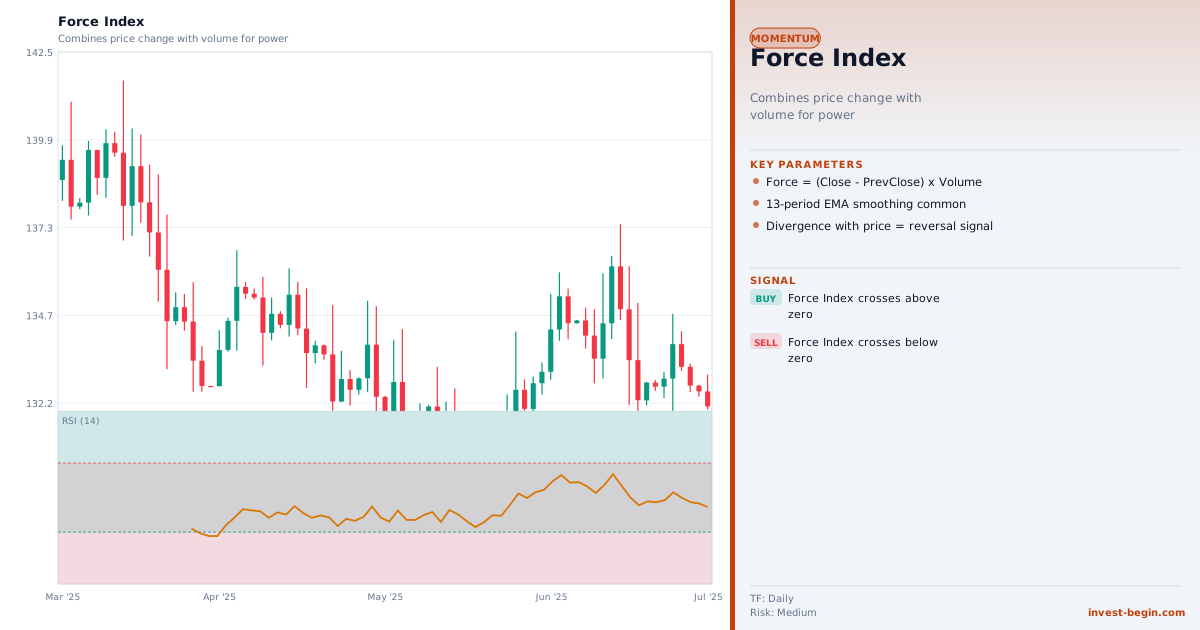
Force Index chart

Overview

What is Force Index?

The Force Index was developed by Dr. Alexander Elder and introduced in his seminal 1993 book "Trading for a Living." It is one of the most logically satisfying indicators in technical analysis because it directly measures the three elements that determine market force: the direction of price change, the magnitude of price change, and the trading volume that accompanied the move.

Formula: Force Index = (Current Close − Previous Close) × Volume

A positive Force Index means the session closed higher with positive buying force; a negative Force Index means sellers were in control. The raw Force Index is extremely spiky, so it is almost always smoothed with a short-period EMA (2-period for short-term signals) or a longer-period EMA (13-period for trend confirmation).

The 2-period EMA of the Force Index is used for precise entry timing within the context of the prevailing trend. When the 2-period Force Index dips below zero in an uptrend (the trend is confirmed by the 13-period EMA direction), it signals a minor pullback — an ideal buying opportunity. In a downtrend (EMA pointing down), a 2-period Force Index spike above zero represents a temporary counter-rally — a selling opportunity.

The 13-period EMA of the Force Index serves as a trend confirmation tool. When it is above zero for an extended period, bulls are dominant. When it is below zero, bears control the market. A crossover of the 13-period Force Index through zero often coincides with a significant trend change and provides a high-probability trading signal on daily and weekly charts.

Divergence between the Force Index and price is a powerful reversal signal: when price makes new highs but the Force Index fails to confirm (the Force Index peaks are declining), it reveals that the rally is being driven by diminishing volume — a warning that the trend is about to reverse. This pattern is particularly reliable at major market tops and bottoms.
How It Works in auto-Trading

Automate It

auto-Trading computes the raw Force Index and both the 2-period and 13-period EMA versions simultaneously. The strategy builder supports 2-period zero-line dips as pullback entry signals, 13-period zero-line crossovers as trend change signals, and divergence detection against price. Force Index integrates natively with the Triple Screen system and Elder Ray indicators for a complete Dr. Elder trading framework.

Try Free →

Strategy Code

Pick a script below, copy it, and use it on your chart.

Pine Script (TradingView)

This is a TradingView Pine Script example for this indicator. Paste it into the TradingView Pine Editor, add it to your chart, and adjust inputs for your market and timeframe.

//@version=6
indicator("Force Index", overlay=false)
shortLen = input.int(2,  "Short EMA")
longLen  = input.int(13, "Long EMA")
fi       = (close - close[1]) * volume
fi2      = ta.ema(fi, shortLen)
fi13     = ta.ema(fi, longLen)
longSignal  = ta.crossover(fi13, 0) and fi2 < 0
shortSignal = ta.crossunder(fi13, 0)
plotshape(longSignal,  style=shape.triangleup,   location=location.bottom, color=color.green, size=size.small)
plotshape(shortSignal, style=shape.triangledown, location=location.top,    color=color.red,   size=size.small)
hline(0, "Zero", color=color.gray, linestyle=hline.style_dotted)
plot(fi2,  "2-EMA Force",  color=color.aqua)
plot(fi13, "13-EMA Force", color=color.orange, linewidth=2)

ThinkScript (thinkorswim)

This is a thinkorswim ThinkScript example for this indicator. Open thinkorswim, create a custom study, paste the script, and apply it to your chart.

input length = 13;
def fi = ForceIndex(length = length);
def buySignal = fi crosses above 0;
def sellSignal = fi crosses below 0;
AddOrder(OrderType.BUY_AUTO, buySignal, close, 1, Color.GREEN, Color.GREEN, "FI Buy");
AddOrder(OrderType.SELL_AUTO, sellSignal, close, 1, Color.RED, Color.RED, "FI Exit");
plot ForceLine = fi;
ForceLine.SetDefaultColor(Color.CYAN);

Ready to automate Force Index?

Join thousands of traders who use auto-Trading to execute this strategy automatically, 24/7.

Get Started Free →

All Strategies & Signals

Continue Learning

Trading Strategies

Trading Signals & Indicators