← Back to Home
Trading Signal / Indicator
🎯

Ultimate Oscillator

Larry Williams' multi-timeframe momentum oscillator that reduces false signals.

Start Automating Free →

Want to automate this strategy? Try auto-Trading free — no credit card required.

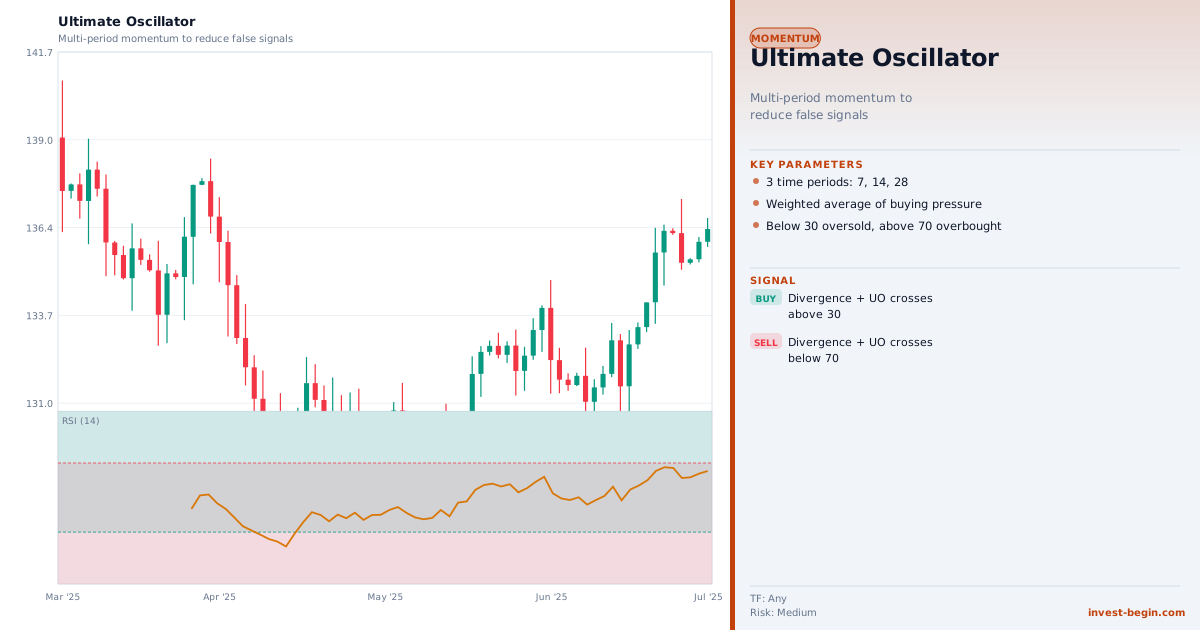
Ultimate Oscillator chart

Overview

What is Ultimate Oscillator?

The Ultimate Oscillator was developed by Larry Williams and published in Technical Analysis of Stocks & Commodities magazine in 1985. Williams designed it to solve a persistent flaw in single-period oscillators: the tendency to produce conflicting signals depending on which lookback period is chosen. By incorporating three different timeframes simultaneously — short (7 periods), medium (14 periods), and long (28 periods) — the Ultimate Oscillator produces a more balanced, less whipsaw-prone reading.

The calculation begins with the "Buying Pressure" for each bar: BP = Close − Minimum(Low, Previous Close). The "True Range" accounts for gaps: TR = Maximum(High, Previous Close) − Minimum(Low, Previous Close). The Average for each period is BP ÷ TR over that period. The three averages are then combined with a weighted sum: UO = 100 × ((4 × Average7) + (2 × Average14) + (1 × Average28)) ÷ 7. The short period receives the highest weight (4), ensuring the oscillator is still responsive to near-term price action.

The oscillator ranges from 0 to 100. Values above 70 indicate overbought conditions; values below 30 indicate oversold. However, Williams' original trading rules are specifically based on divergence, not simple threshold signals: a bullish divergence setup requires the oscillator to fall below 30, form a bullish divergence with price, and then break above the most recent oscillator peak before the entry is triggered. The sell side mirrors this with bearish divergence.

Williams emphasised that the divergence-based signals are far more reliable than simple overbought/oversold readings, because they require a specific sequence of events that confirms both momentum exhaustion and reversal initiation. A basic oscillator reading above 70 might stay there for many bars in a strong trend, but a confirmed divergence followed by a peak/trough break is a specific, actionable signal.

How It Works in auto-Trading

Automate It

auto-Trading computes the Ultimate Oscillator with fully configurable short, medium, and long periods (defaults 7/14/28) and their weighting multipliers. Strategy modules support: threshold alerts (above 70, below 30), Williams' original divergence-and-break signals (automated detection and breakout confirmation), and simpler crossover triggers for high-frequency use. The multi-period structure makes it effective across asset classes from forex to crypto.

Try Free →

Strategy Code

Pick a script below, copy it, and use it on your chart.

Pine Script (TradingView)

This is a TradingView Pine Script example for this indicator. Paste it into the TradingView Pine Editor, add it to your chart, and adjust inputs for your market and timeframe.

//@version=6
strategy("Ultimate Oscillator", overlay=true)
fastLen = input.int(20, "Fast Length")
slowLen = input.int(50, "Slow Length")
fast = ta.ema(close, fastLen)

Get full strategy code access

Enter your email address and full name to unlock this strategy code.

ThinkScript (thinkorswim)

This is a thinkorswim ThinkScript example for this indicator. Open thinkorswim, create a custom study, paste the script, and apply it to your chart.

def ult = UltimateOscillator();
def buySignal = ult crosses above 30;
def sellSignal = ult crosses below 70;
AddOrder(OrderType.BUY_AUTO, buySignal, close, 1, Color.GREEN, Color.GREEN, "Ultimate Buy");
AddOrder(OrderType.SELL_AUTO, sellSignal, close, 1, Color.RED, Color.RED, "Ultimate Exit");

Get full strategy code access

Enter your email address and full name to unlock this strategy code.

Ready to automate Ultimate Oscillator?

Join thousands of traders who use auto-Trading to execute this strategy automatically, 24/7.

Get Started Free →

All Strategies & Signals

Continue Learning

Trading Strategies

Trading Signals & Indicators